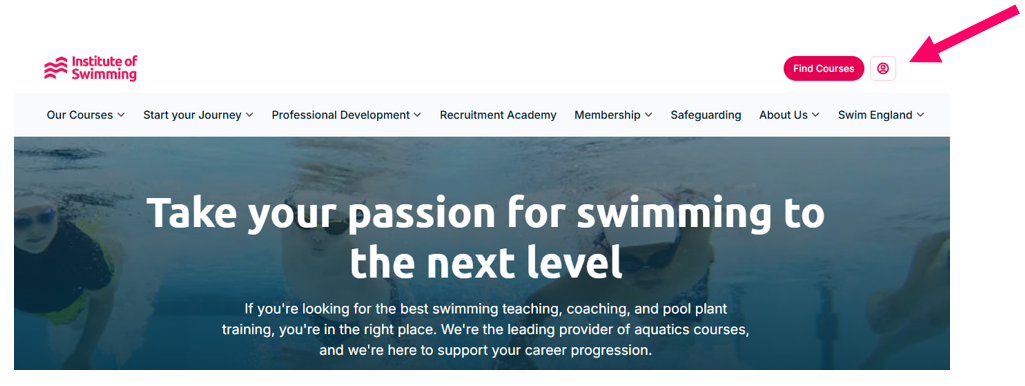
1. Once you have been notified that your company account has been activated, please go to your profile on instituteofswimming.org to access the company account:
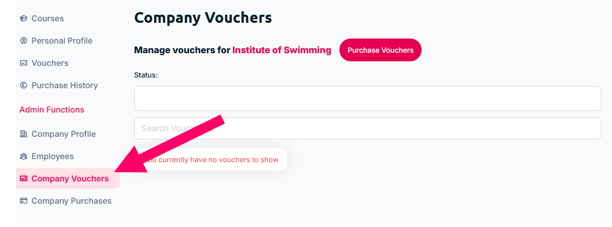
2. To purchase a voucher, go to the company
information section and then ‘Company Vouchers’:
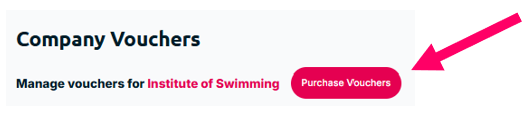
3. Then click the ‘Purchase Vouchers’ button:
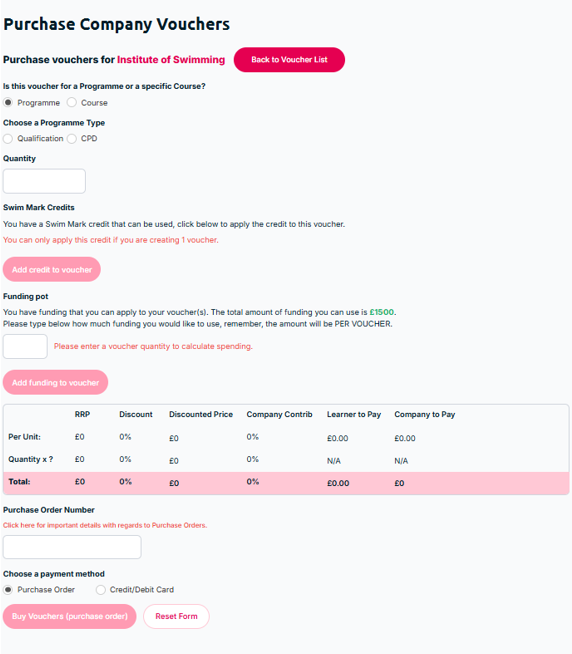
4. This page will then appear:
If your employee does not know which venue they want to attend yet:
If your employee only knows which programme they wish to attend, i.e. an RLSS UK National Pool Plant Operator Certificate, however don’t know which venue and date yet, select the ‘Programme’ button.
Select if you wish to purchase a Qualification or CPD voucher and then search for the Programme title you wish to purchase.
If you are a SwimMark accredited club and wish to use your SwimMark credit on your purchase, please select this at the purchase stage.
Enter the % contribution you wish to make and the voucher quantity; this can be anything from 0-100%.
Select Purchase Order as the payment type. If you select via Purchase Order but do not use a Purchase Order system, you can enter a reference number or phrase that is identifiable to your company, and this will appear on the invoice.
If your employee knows the specific course they wish to attend:
If your employee knows which course they want to attend, i.e. an RLSS UK National Pool Plant Operator Certificate course taking place at Loughborough University on the 1st December 2025, select the course button.
Search for the course you wish to purchase, this can be by course reference or venue.
If you are a SwimMark accredited club and wish to use your SwimMark credit on your purchase, please select this at the purchase stage.
Enter the % contribution you wish to make and the voucher quantity; this can be anything from 0-100%.
Select Purchase Order as the payment type. If you select via Purchase Order but do not use a Purchase Order system, you can enter a reference number or phrase that is identifiable to your company, and this will appear on the invoice.
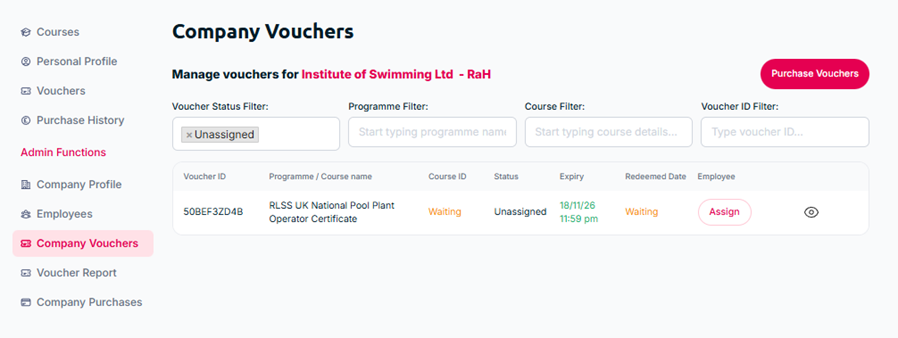
5. Following on from your purchase, the voucher will then appear in the ‘Company Vouchers’ section:
Was this article helpful?
That’s Great!
Thank you for your feedback
Sorry! We couldn't be helpful
Thank you for your feedback
Feedback sent
We appreciate your effort and will try to fix the article