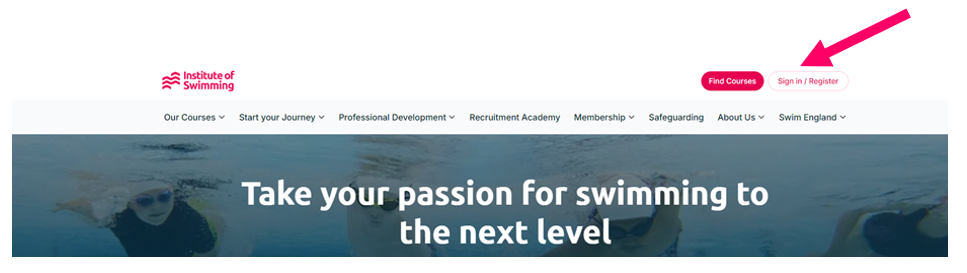
1. To access your eLearning, firstly log into your account on instituteofswimming.org:
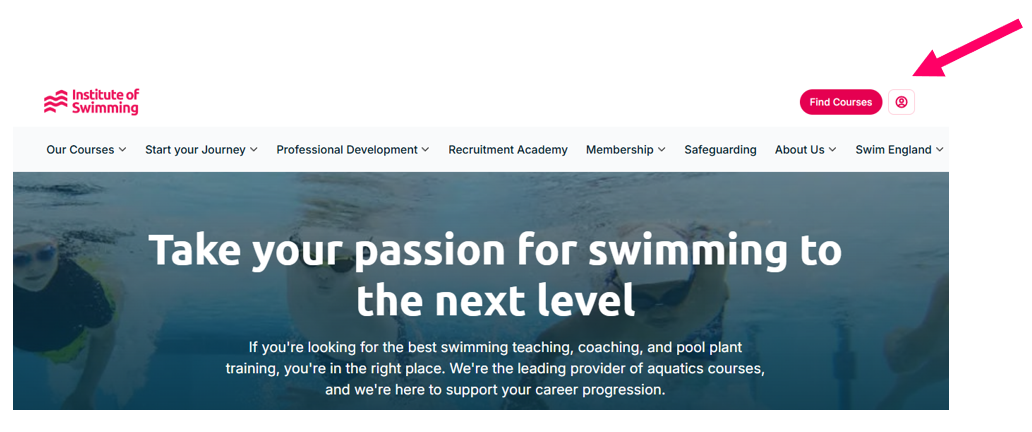
2. Once logged in, click on the ‘Profile’ icon:
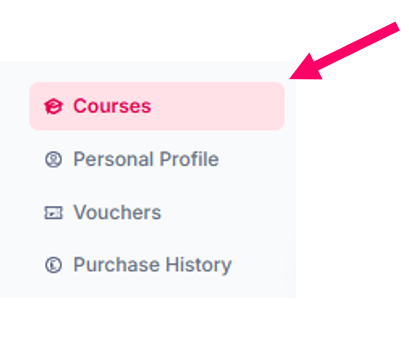
3. In your profile, select 'Courses':
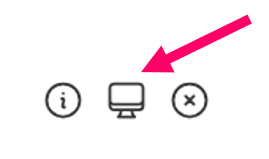
4. Under courses, you should find the course that you have booked onto. Select the eLearning icon:
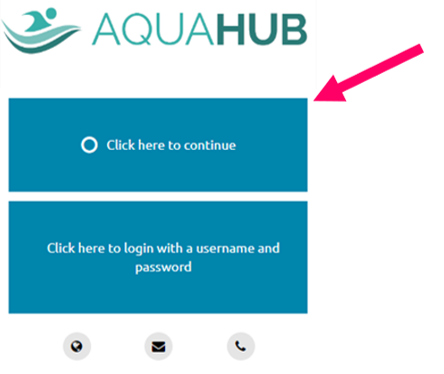
5. This will take you to our eLearning platform Aquahub. Select ‘click here to continue’:
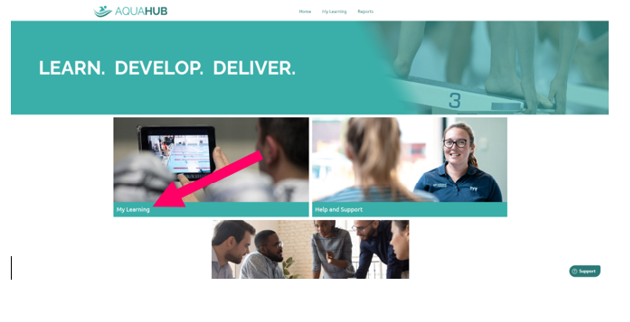
6. This will take you to your Aquahub dashboard. Select 'My Learning':
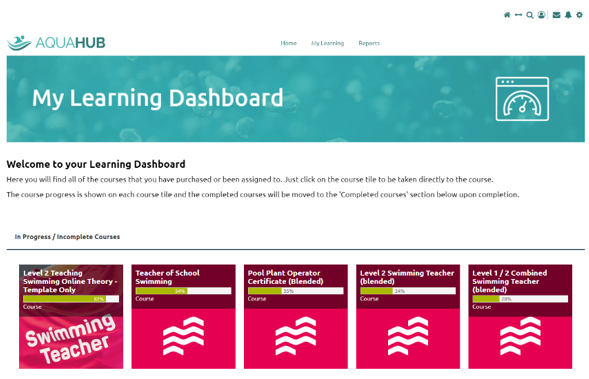
7. Your eLearning will now appear and you can select the title you wish to access:
Was this article helpful?
That’s Great!
Thank you for your feedback
Sorry! We couldn't be helpful
Thank you for your feedback
Feedback sent
We appreciate your effort and will try to fix the article